
Runs on your servers. Signs in with your directory.
Oneview is built to be installed inside a manufacturer’s own network or cloud subscription. Plant data never has to leave it, people sign in with the accounts they already have, and IT sees who did what.
Where it can run.
On-premises datacenter
A Windows or Linux server or VM next to your ERP and MES. Put it behind your reverse proxy and certificate; it never needs to be reachable from outside.
Microsoft Azure
App Service or Container Apps with Azure Database for PostgreSQL, in your subscription and region. Sign in with Entra ID; read SharePoint and OneDrive files.
Google Cloud
Cloud Run or Compute Engine with Cloud SQL for PostgreSQL. Sign in with Google Workspace; read Sheets and Drive files.
Installed in an afternoon.
Oneview ships with a Docker image, a compose file with PostgreSQL and installers for Linux and Windows Server. Your IT team runs one command and opens the set-up checklist.
Copy and run
sudo ./scripts/install.shon a Linux server with Docker, or the PowerShell installer on Windows Server.Passwords made for you
The installer creates strong admin, database and encryption keys once and starts Oneview with PostgreSQL.
HTTPS in front
nginx, IIS, Azure Application Gateway or your load balancer; health check at /api/health.
Open Configuration
Company sign-in, e-mail, AI and backups, each with a guide and a test button.
No internet on the server? Load the image from a file and install with --no-build. Azure Container Apps and Google Cloud Run with managed PostgreSQL are covered in the installation guide.
Company sign-in, company rules.
People continue with their Microsoft or Google work account. You decide who may join and what each person sees.
- Who may sign up: nobody (admins add people), anyone with a company e-mail domain, or, for the public trial only, anyone.
- Your tenant only: restrict Microsoft sign-in to your Entra ID tenant.
- Roles: admins run settings and users; editors build; members use apps, submit forms and approve.
- Published apps can be open to visitors, like a lobby screen, or signed-in only.
Each plant sees its own rows.
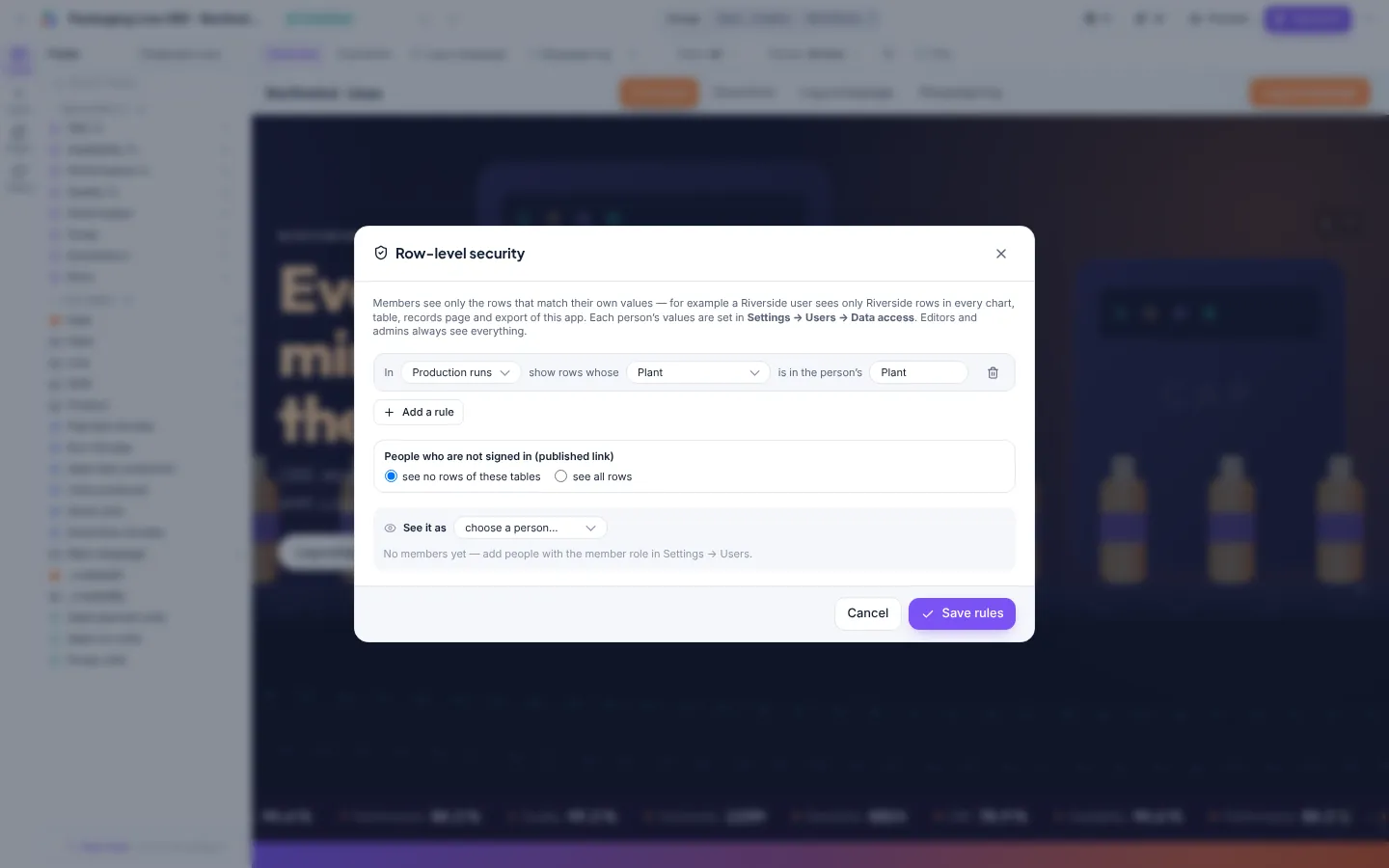
Row-level security filters every card, table, export and AI summary for the person looking. One app for the whole group; Riverside sees Riverside, the plant head sees both.
- A rule per table: show rows whose Plant is one of the person’s Plant values.
- Values per person in Users, such as Plant, Region or Business unit.
- “See it as” previews what a given person gets before you publish.
The controls IT asks about.
Audit log
Sign-ins and failed attempts, publishing, security changes, users, data access, deleted records, backups and restores. Searchable, exportable to CSV.
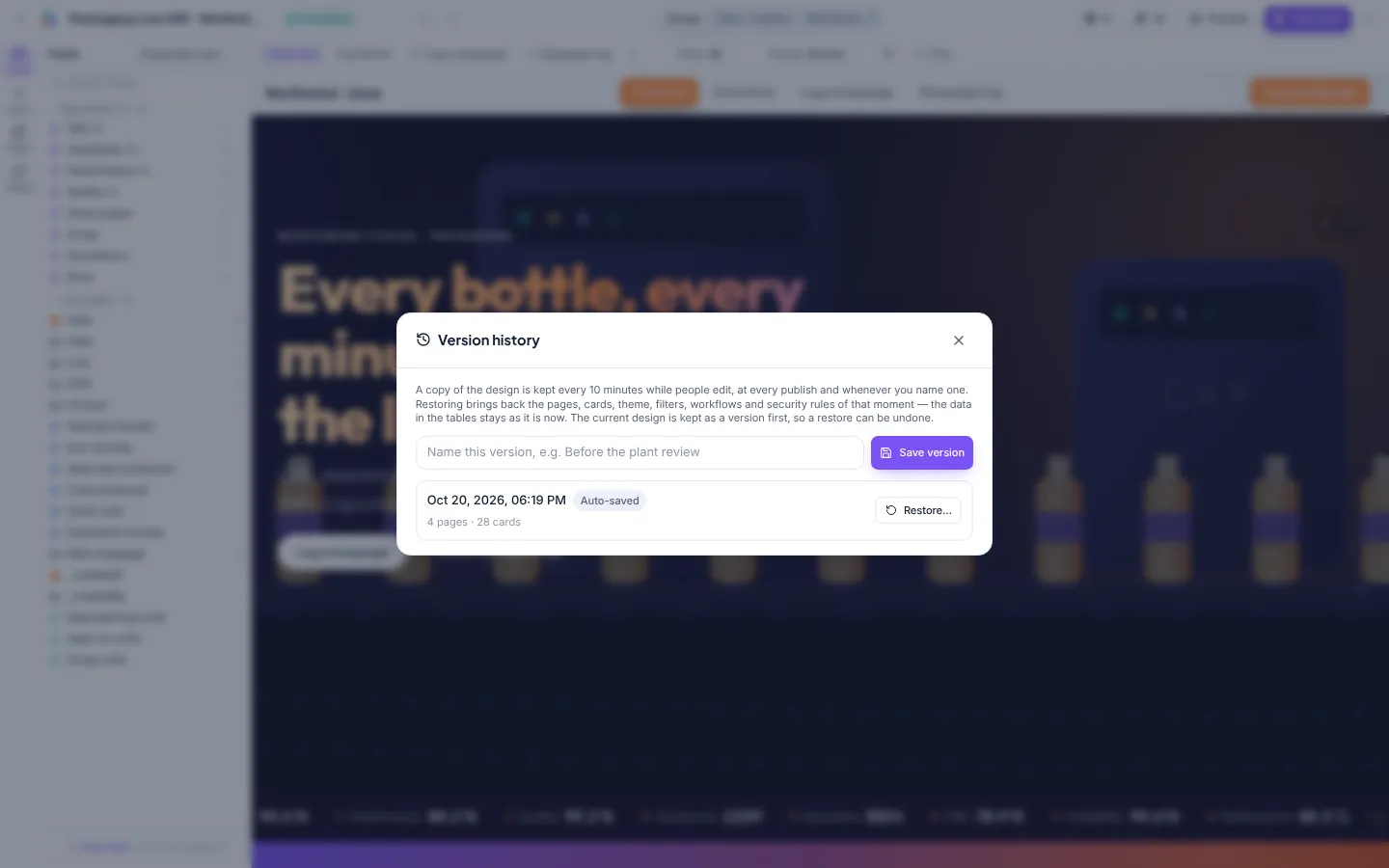
Version history
Every app is copied every ten minutes during editing, at every publish and when you name a version. Restore with undo.
Backups
Daily or weekly, kept on the server, e-mailed or copied to storage. Restore only the projects, users or settings you pick.
Embed control
Choose which sites may show your apps in a frame. Everything else is refused by the browser.
Read-only connectors
Database connectors run read-only queries; credentials are encrypted and never sent to the browser.
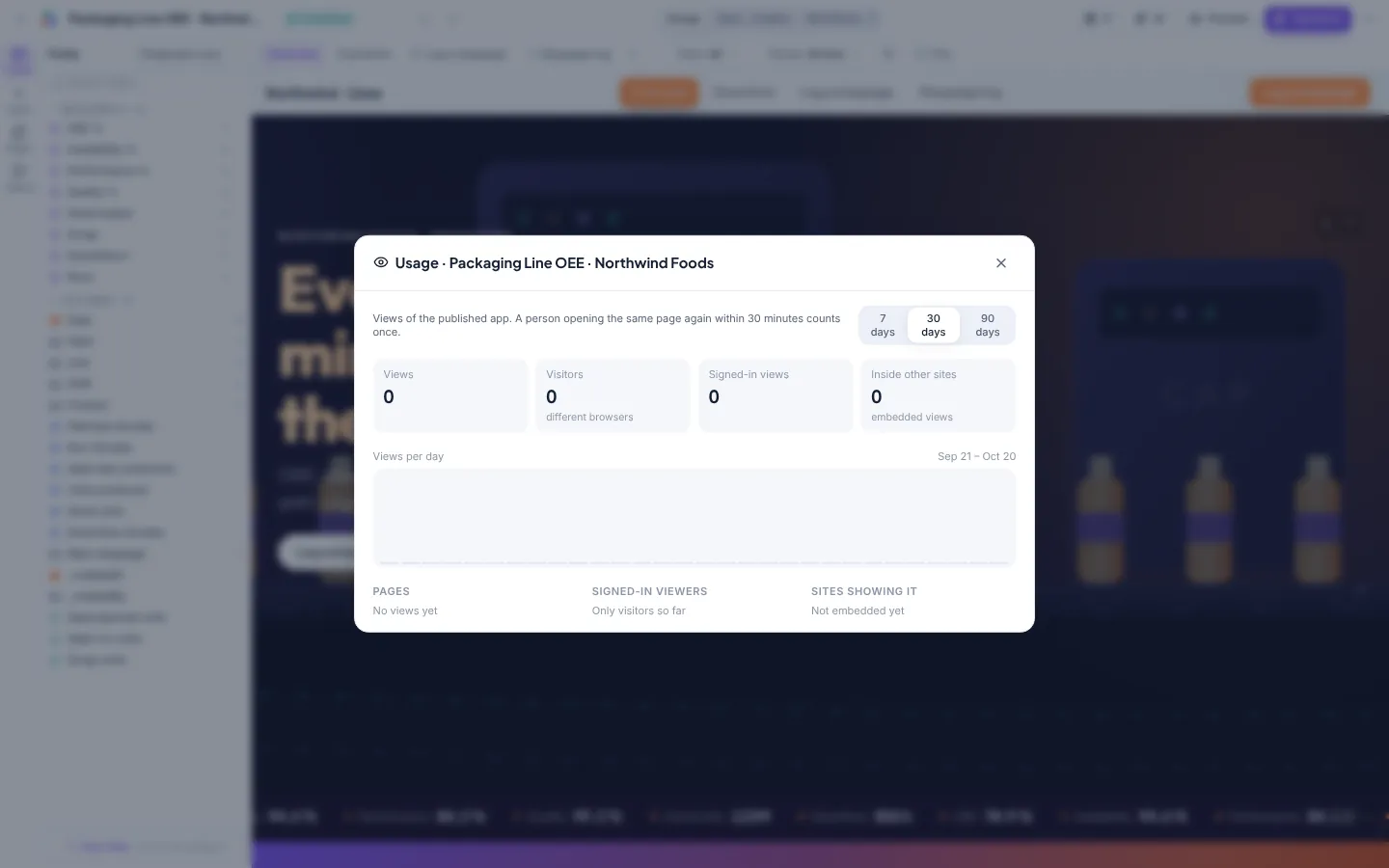
Usage
Views and visitors for every published app, including which internal sites show it.
A perpetual licence. No per-user fees.
You buy Oneview once for your organisation and install it on your own infrastructure. Add plants, users and apps without a new quote.
- Unlimited users, viewers, apps and plants
- Installation and SSO set-up with your IT team
- First apps built together with your engineers
- Update and support plans
Pricing depends on your sites and support needs. Ask us.
sales@entira.in +91 73382 02299 Send an enquiryQuestions from IT.
Is the online trial the product?
It is the same software, hosted on a shared server with made-up sample data, one project per account and tables up to 5,000 rows. Production installations run on your servers with none of those limits. Please do not upload confidential data to the trial.
What does the AI see?
A profile of the data: table and column names, types, totals and the aggregates on screen. It does not receive your raw tables. AI calls go to Anthropic’s API with your own key, and you can switch AI off entirely.
Does it need internet access?
No inbound access at all. Outbound HTTPS is needed only for optional AI, Microsoft or Google sign-in and cloud file connectors. E-mail uses your SMTP server.
Can we restrict sign-in to our own tenant?
Yes. Set your Entra ID tenant for Microsoft sign-in, and limit sign-up to your company e-mail domains. Admins can also add people by hand and turn sign-up off.
Who sets up sign-in, e-mail and AI?
Your administrator, inside Oneview. The Configuration page walks through registering Oneview in Microsoft Entra ID or Google Cloud, shows the redirect address to copy, and tests the client ID and secret, the mail server and the AI key before anyone relies on them. Secrets are stored encrypted on your server.
How is data backed up?
Oneview keeps its own scheduled backups (settings, users, projects, tables and files in one file), and the PostgreSQL database can be backed up with your usual tools.
Can apps appear in SharePoint or our intranet?
Yes. Every published app has an embed code with options for tabs, filters, start page and height, and you approve the sites allowed to show it.
Try it on your own numbers today.
The online trial opens with five ready-made plant apps and room for one project of your own. Upload a shift report and see your first board in minutes. When you are ready, Oneview installs in your datacenter or your own cloud.